
Legacy
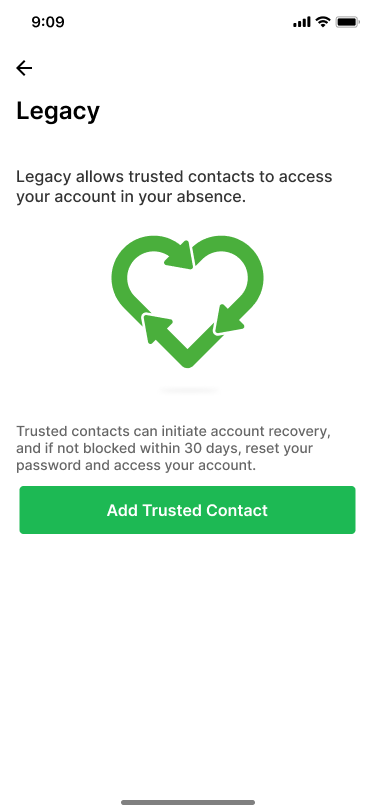
Legacy allows trusted contacts to recover your account in your absence. The main usecase here is to pass on your memories after your death. It can also be useful for other cases - for e.g., when you forget your password and recovery key.
Trusted Contacts can initiate a recovery, and if not blocked within the chosen waiting period (7, 14, or 30 days), would be able to change the password to your account and thereby access your memories.
Adding a trusted contact
You can add a trusted contact for your account using the Ente Photos mobile app. Open Settings > Legacy and tap Add Trusted Contact.
You would be asked to enter the email address of the trusted contact you want to add or choose from a list of contacts on Ente. Please note that the trusted contact must be an Ente user.
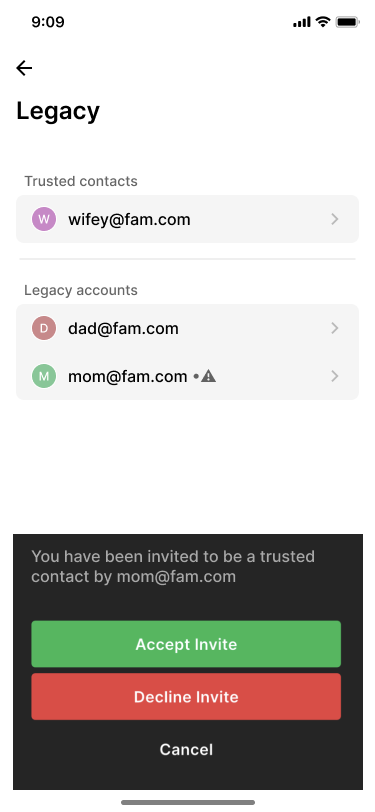
The trusted contact must accept your request. They can open Settings > Legacy in the Ente Photos mobile app and tap your account in the Legacy section. Ente also sends them an email notification about the request.
Recovering an account as a trusted contact
As a trusted contact, open Settings > Legacy in the Ente Photos mobile app and tap the account you want to recover.
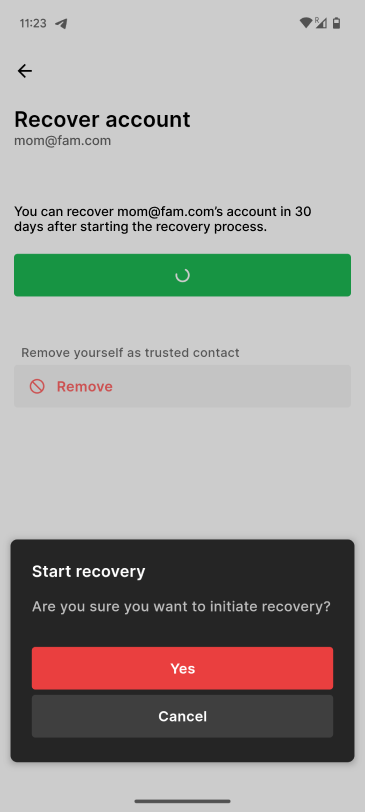
Once the recovery is initiated, the account owner would get 7, 14, or 30 days (as configured) to block the recovery. After that period, you can go the same page in the app, where you will be prompted to change the password of the account. Once you change the password, you would be able to access the recovered account with the new password.
Blocking account recovery by a trusted contact
After a trusted contact starts recovery, you have 7, 14, or 30 days (as configured) to block it. Open Settings > Legacy in the Ente Photos mobile app and tap the recovery notice to block it.
Removing a trusted contact
Open Settings > Legacy in the Ente Photos mobile app, tap the trusted contact, and select Remove.